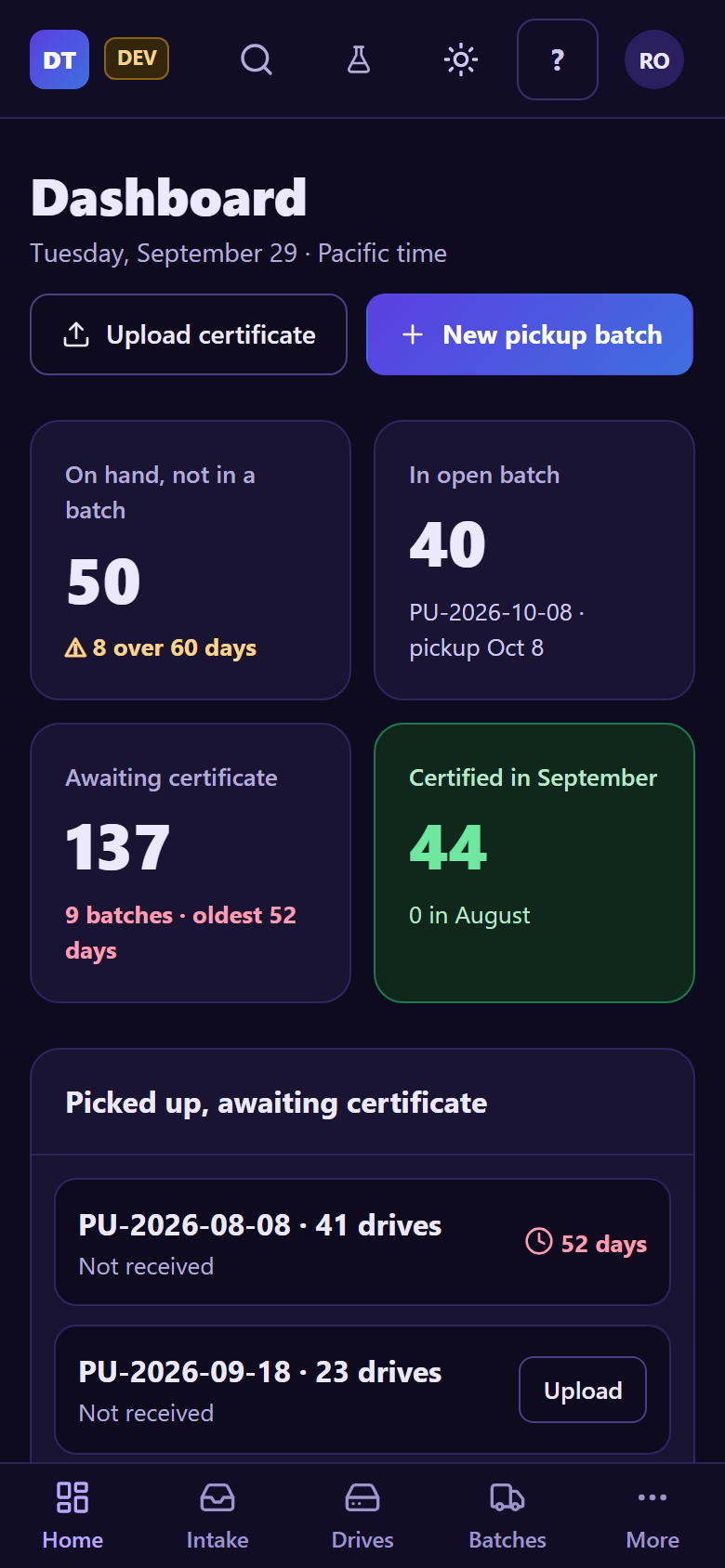
The dashboard (Home)¶
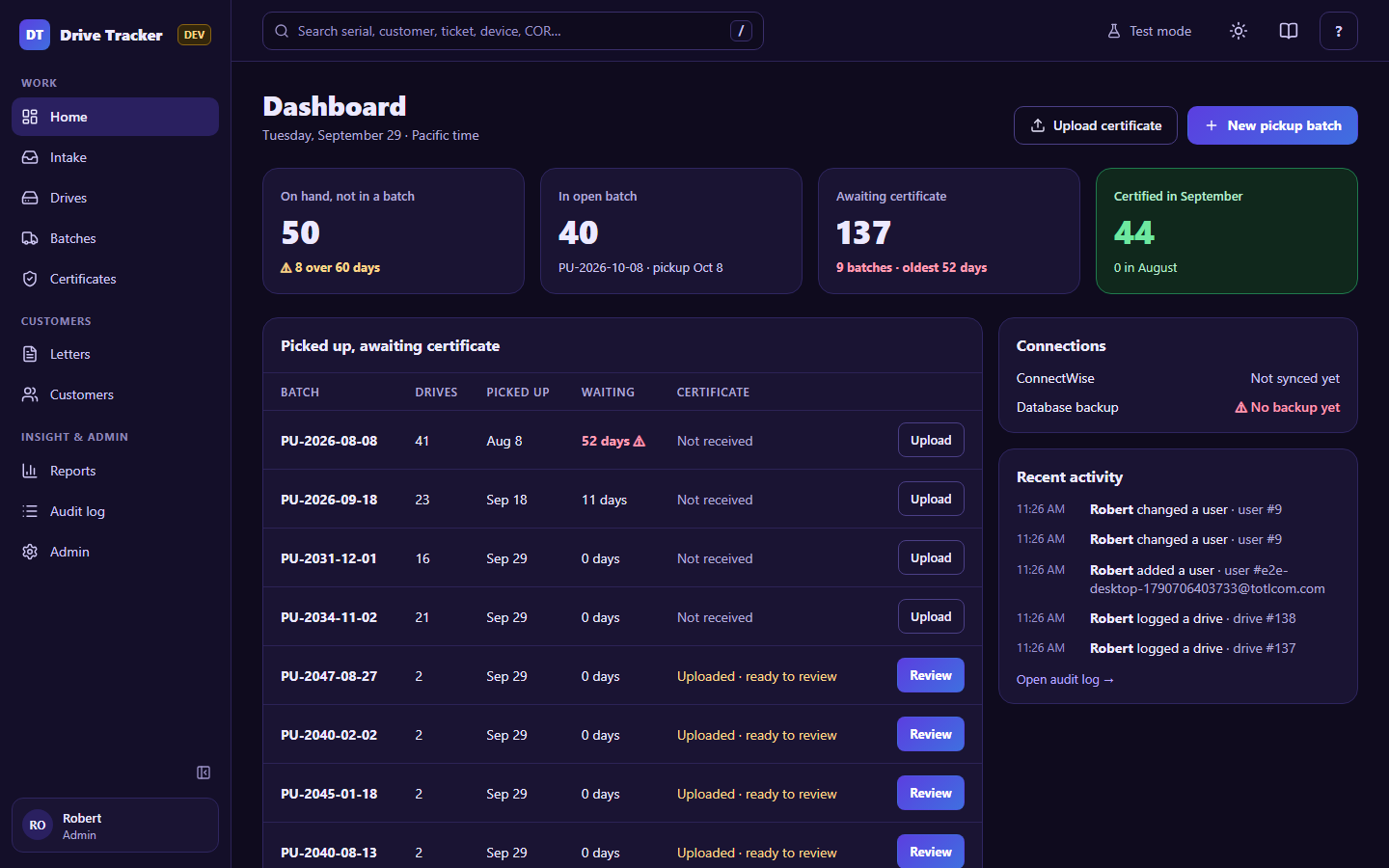
The date line under Dashboard is today in Pacific time, the business day every date in the app uses.
Starting points¶
- Upload certificate: when the recycler's certificate arrives (Technician and up). See Certificates.
- New pickup batch: when you've agreed a pickup date with the recycler (Technician and up). See Batches.
The four tiles¶
| Tile | Shows | Amber / red when |
|---|---|---|
| On hand, not in a batch | Drives on the shelf | ⚠ some are older than the aging limit (Admin → Thresholds, 60 days by default) |
| In open batch | Drives in the box, and the next planned pickup | — |
| Awaiting certificate | Drives picked up but not yet certified, and how many batches | a batch has waited longer than its limit (45 days by default) |
| Certified in this month | Drives certified this month, and last month's count | — (green) |
Click a tile to open the matching list.
Picked up, awaiting certificate¶
One row per picked-up batch, longest wait first. Review opens the uploaded certificate; Upload (when nothing has arrived yet) starts the upload with that batch already chosen.
Oldest drives on hand¶
The five drives on the shelf the longest. View all opens Drives.
Connections (Managers and Admins)¶
| Line | Green ✓ | Red ⚠ |
|---|---|---|
| SharePoint | All uploaded | Uploads have failed 5+ times |
| ConnectWise | Synced (time) | The last sync failed (the reason is shown) |
| Database backup | The last weekly backup | The last run failed, or no backup in 8+ days |
| App certificate | days left | 14 days or fewer left |
What to do about a red line: Runbooks → Operations §1.
Recent activity¶
The latest changes: everyone's for Managers and Admins, your own otherwise. Open audit log shows everything.
On a phone the same information is stacked: