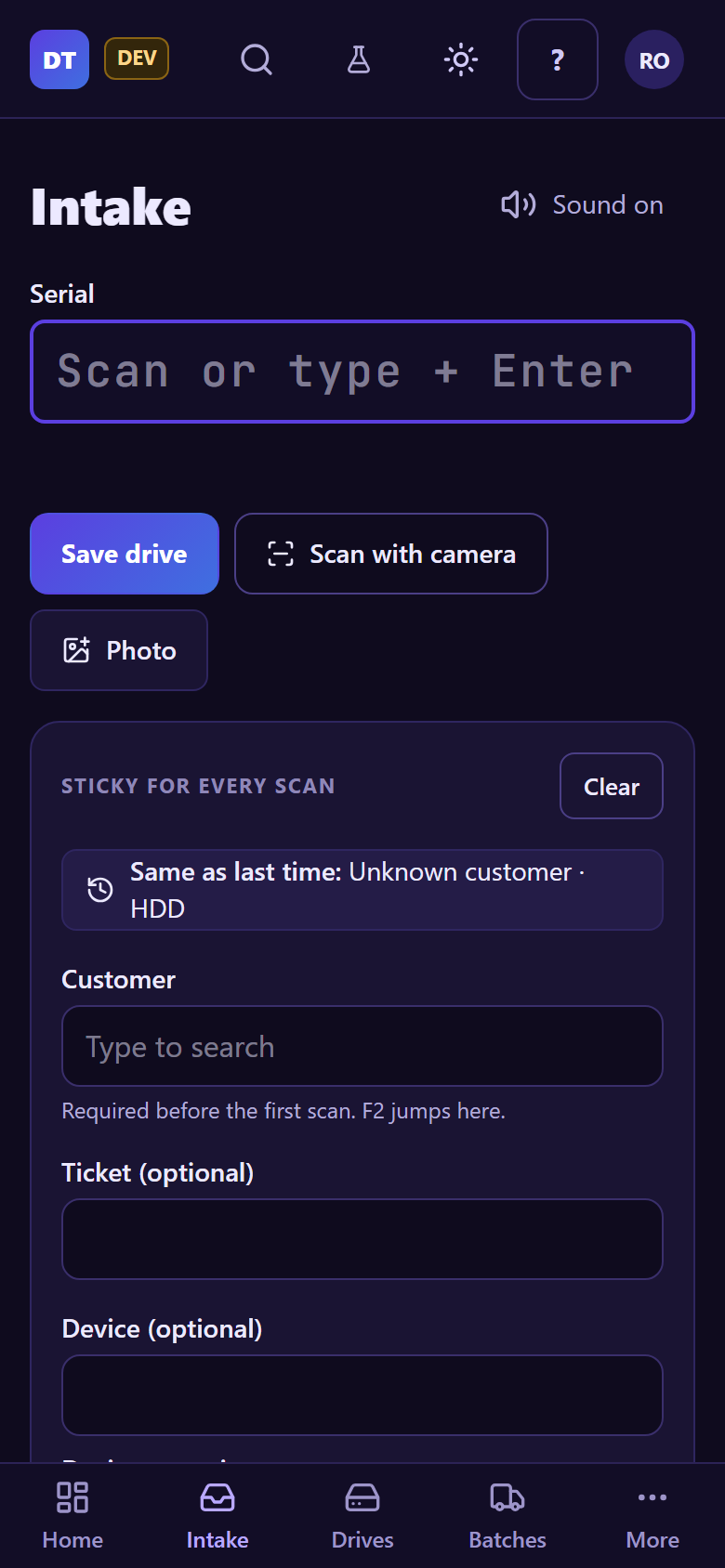
Intake (logging drives)
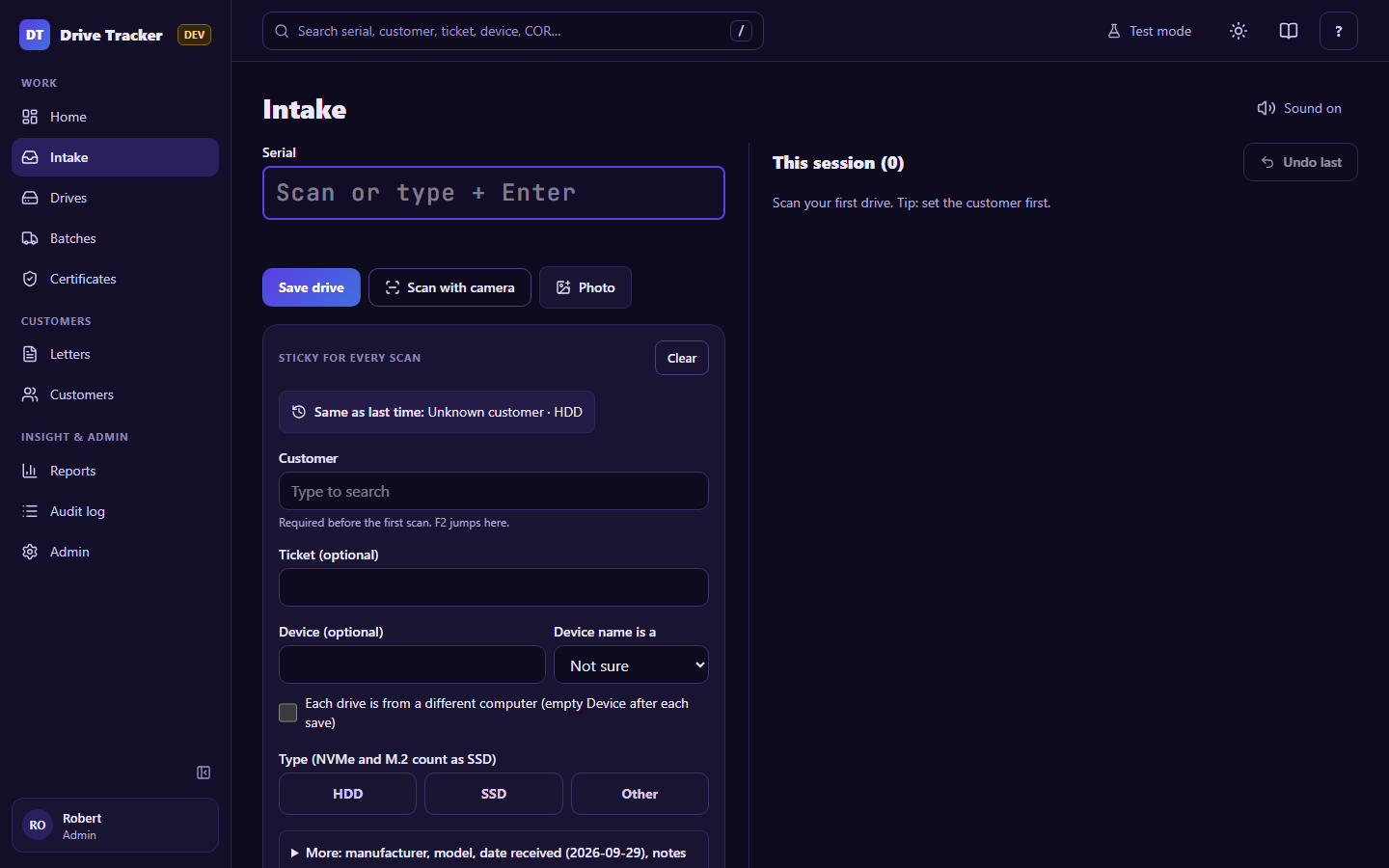
Intake is built for speed with a USB barcode scanner at the bench, and works just as well on a phone camera or by typing.
Every drive
- Set the fields in Sticky for every scan (they stay filled from drive to drive):
- Customer (required; F2 jumps here). Same as last time fills in your last customer and type in one click.
- Ticket (optional): checked against ConnectWise. A ticket for a different company is flagged but still allowed.
- Device (optional): the computer the drive came from, and whether that's a hostname, service tag or device serial. Tick Each drive is from a different computer to empty it after each save.
- Type: HDD, SSD (NVMe and M.2 count as SSD) or Other (then say what it is).
- More: manufacturer, model, date received (for drives that arrived earlier), notes.
- Scan the serial into Serial (or type it and press Enter). It saves straight away and the cursor goes back to Serial for the next drive.
Clear (in the Sticky card) empties the sticky fields when you switch to another customer's box.
This session
The right-hand list (below on a phone) shows what you logged in this tab, newest first, with how many were saved and how many need a check.
- Undo last (Ctrl+Z) removes your last scan if it was a mis-scan: only within 15 minutes, only your own, and only while it's still on the shelf.
Duplicates and look-alikes
- Same serial already logged: the app shows the earlier drive(s) and asks why it's here again (for example "drive reused as a spare, came back"). It's saved only with a reason.
- Look-alike serial (such as
Svs5,Ovs0): the app asks you to check the label before saving.
Camera and photo
- Scan with camera (phones): point at the label; tap the barcode that is the serial.
- Photo: take a picture of the label; the app reads the serial from it, and keeps the photo with the drive.
Bad signal
If the network drops or your sign-in expires, scans are kept on this device and sent automatically later. The top bar shows "N waiting to save" until they're through; click it to see them.